

Synapse is a paid Pro module. A build ships with it locked and shows none of it until a signed license is added. See Licensing.
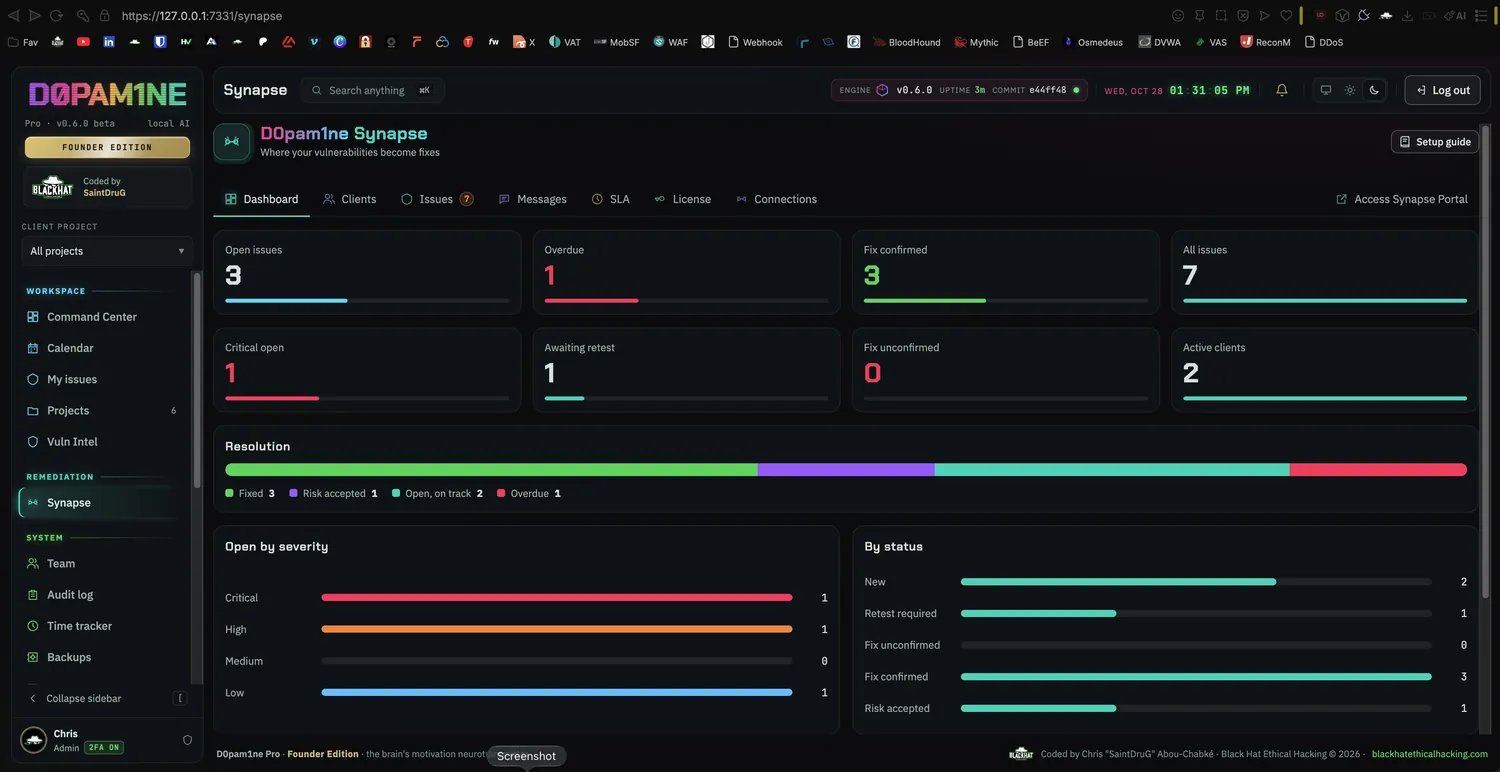
The cross-client Synapse dashboard: open and overdue counts, the resolution split, and open issues by severity and status.
What lives under Synapse
Everything remediation sits under the one Synapse section, surfaced as horizontal tabs:- Overview: a cross-client remediation dashboard, issue counts, overdue work, and the criticality and status split, as cards you arrange.
- Clients: client companies and their users, access scoped to a whole project, a project group, or specific issues. Client end users are free and join by a branded invite. See Clients and groups.
- Issues: the remediation workqueue across clients, filtered by status, severity, overdue, affected asset and client, with select, bulk actions and export. See Remediation workflow.
- Message center: a message icon beside the bell in Pro and the client portal, with live issue conversations, quick replies, attachments, image previews and unread alerts. The full Messages inbox and per-issue history remain available.
- SLA: remediation deadlines per severity, a global default with per-project overrides, which drive the overdue tracking. See Remediation workflow.
- License: the plan, modules, seats and dates. See Licensing.
- Connections: linking a separate D0pam1ne scanner instance to a Synapse so findings flow in over a signed channel. See Connections.
How an issue reaches Synapse
Reporting is the one gate. An issue enters Synapse, and becomes visible to the client, only when the team sets its status to Reported (or Fixed). Everything before that, a draft, a needs-review item, or a finding that is Ready or Verified but not yet reported, stays in the testing flow and never appears in Synapse. So an imported finding, or one you are still working on or want to rewrite with the AI first, is never exposed by accident. It is driven entirely by the finding’s own status, nothing is stored twice:- Work the issue as usual (triage, verify, rewrite), then set it to Reported to send it to Synapse and the client portal.
- Change it back to any earlier status and it leaves Synapse again.
- A client sees only their own reported and fixed issues, scoped to the project, group or specific issues they were granted.
Retest, not duplicated
When a client marks an issue Retest required, the team retests on its side and pushes the result. The outcome appears on that same issue’s Retest tab as a new round, and the status moves to Fix confirmed or Fix unconfirmed. The original finding stays the single source of truth; retests are a clean timeline under it, never a second copy.At a glance
- Remediation status is read from each finding’s own lifecycle and retest result, so nothing is tracked twice.
- Clients are free and scoped; they see only their own reported issues and can never reach the console.
- The per-issue assistant answers a client’s questions from that one issue’s details on your local AI, in the language they ask in, and hands off to the team when it cannot help.
- The free engine stays recon-only and is never involved in Synapse.