
1. Pick a profile
From the menu, Run recon first asks how deep to go. Each profile is one line of plain language about coverage and speed, so the choice is never a guess.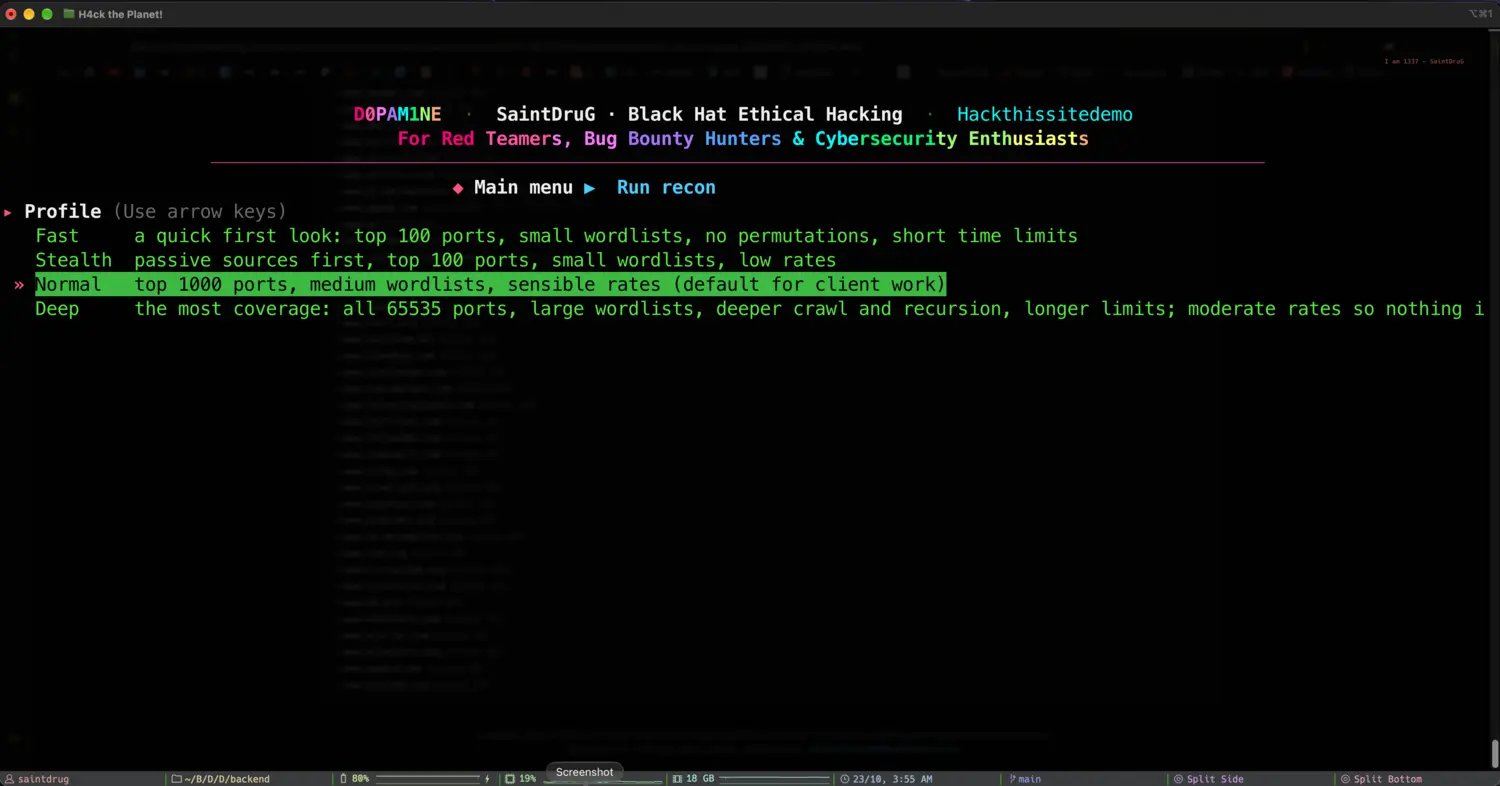
Fast, Stealth, Normal or Deep: coverage and pacing in one line each
2. Confirm the briefing
Before a single packet goes out, the engine shows a recon briefing: who is testing, the project and engagement type, what is in and out of scope, the chosen profile and plan, the exact nmap flags, and the rules of engagement. Then it asks one plain question.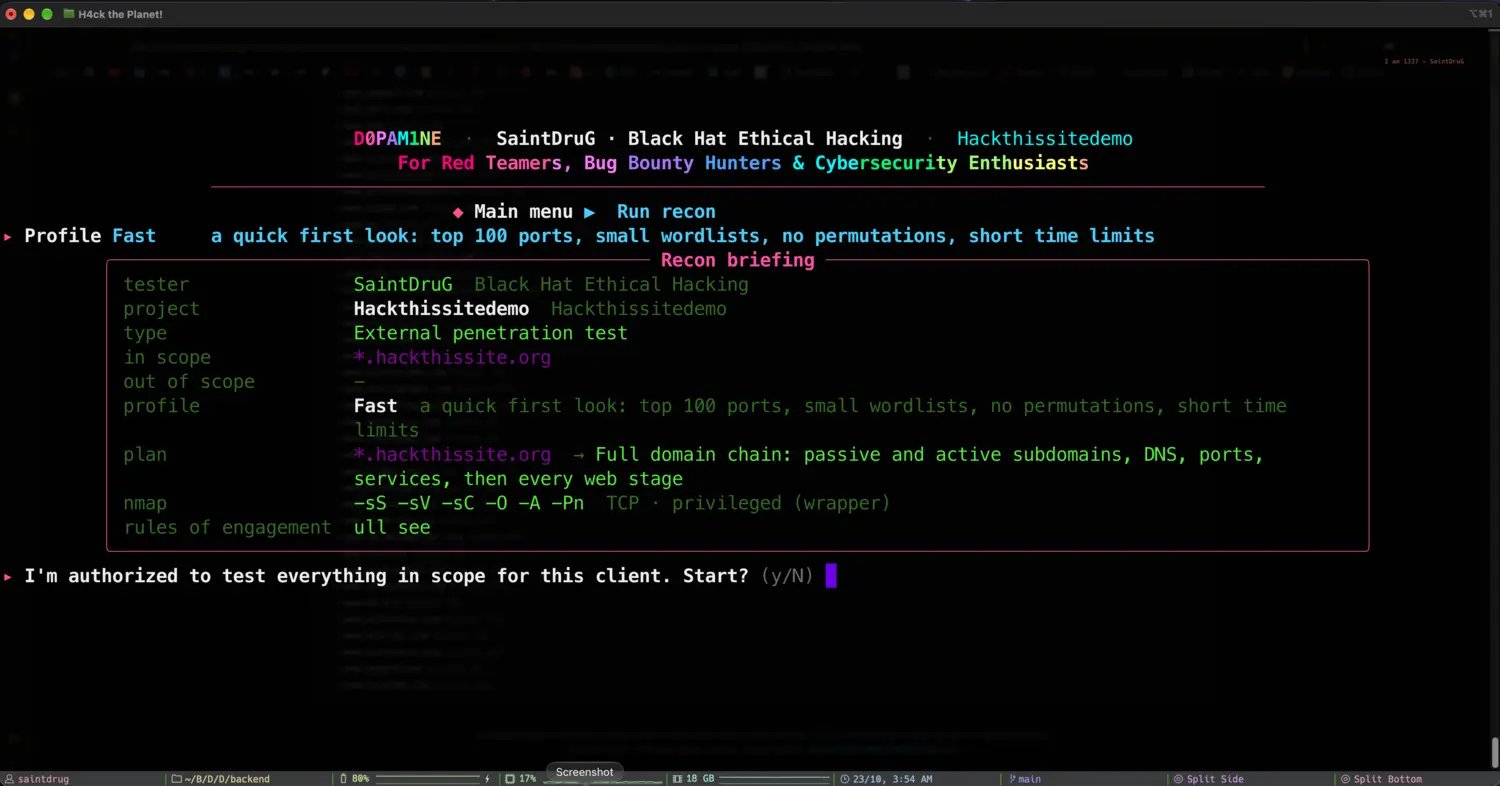
The briefing, and the authorization gate: nothing runs until you answer
3. Watch it run
Once you confirm, the live run screen takes over. It is dense on purpose: every number you care about updates in place as the tools work.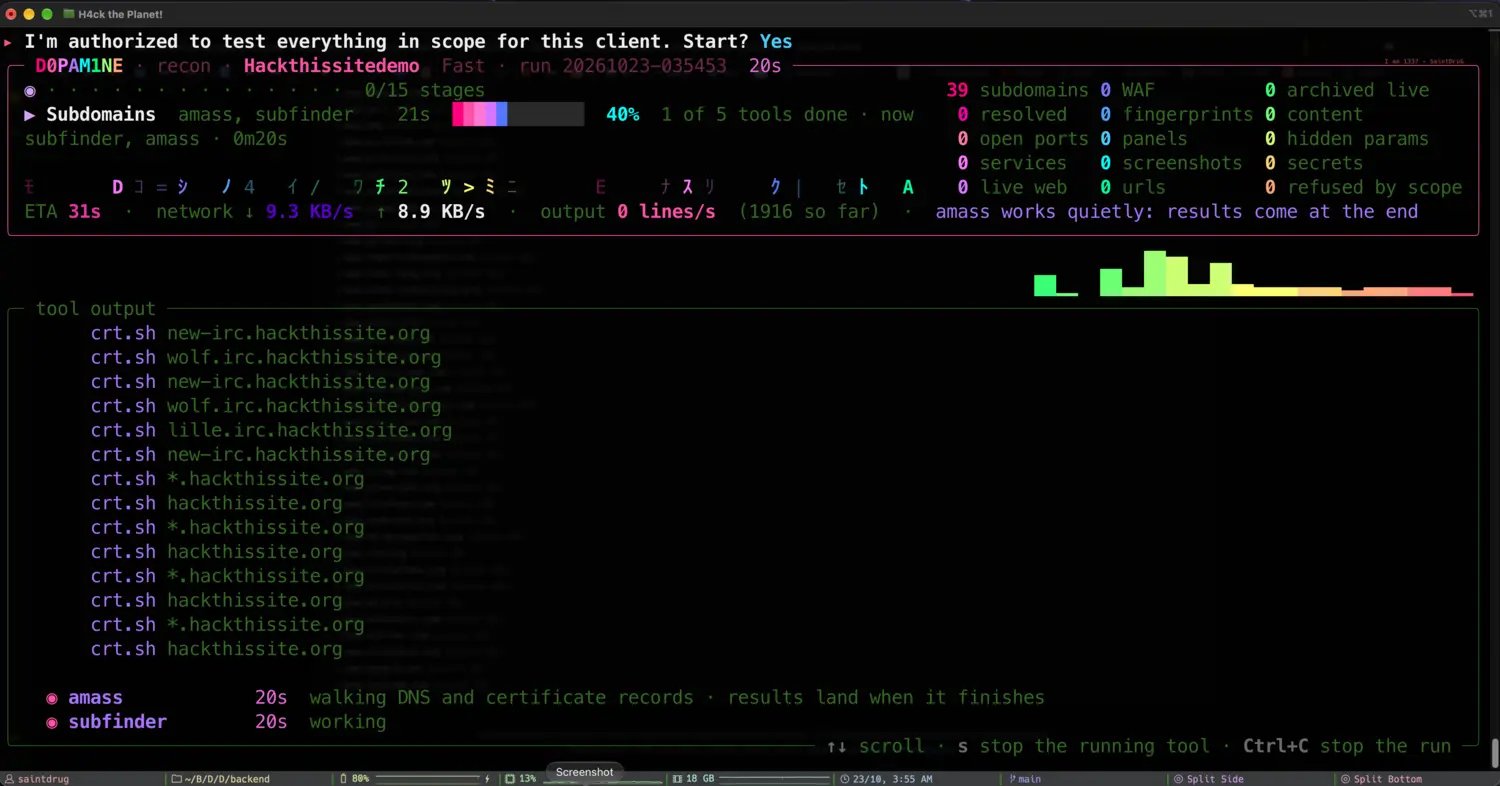
The live run: stage progress, running tools, live counters and throughput
Stage progress
The current stage, how many of its tools are done, and the overall
n/15 stages counter with a progress bar.Live counters
Subdomains, resolved, open ports, services, live web, URLs, WAFs, panels, screenshots, secrets and refused-by-scope, all counting up as findings land.
Tool output
The raw stream from the tools running now, scrollable with the arrow keys and PgUp / PgDn, so you can watch exactly what each one finds.
Throughput
Network in and out, output lines per second, an ETA, and which tools are working versus finished.
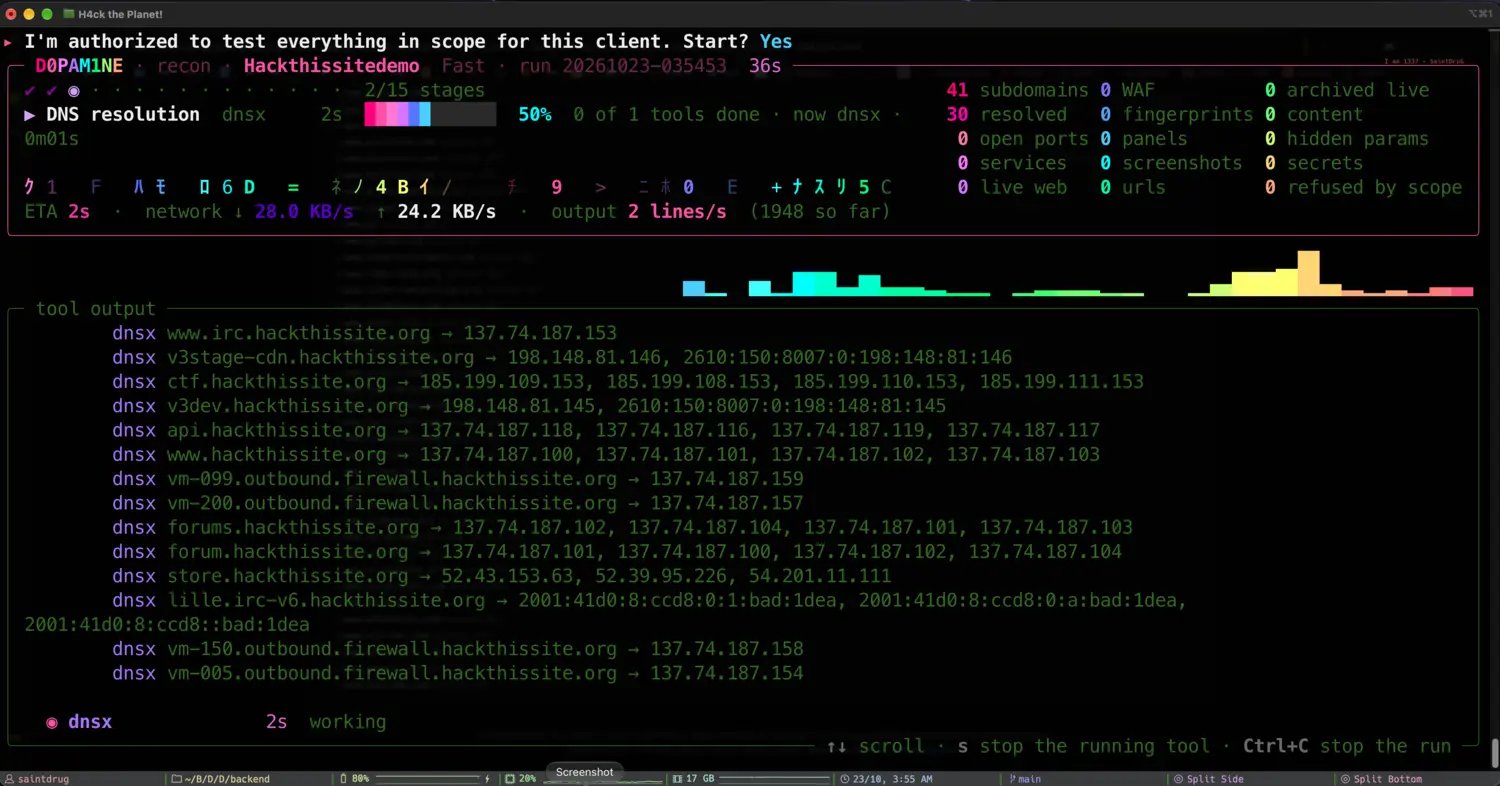
Later in the same run: the DNS resolution stage resolving names to IPs
Keys during a run
4. Read the per-stage summary
When the run finishes (or when you stop it), the engine prints a summary of every stage: what it found, how long it took, which tools ran, and anything that was not installed and got skipped. A stopped run resumes exactly where it left off.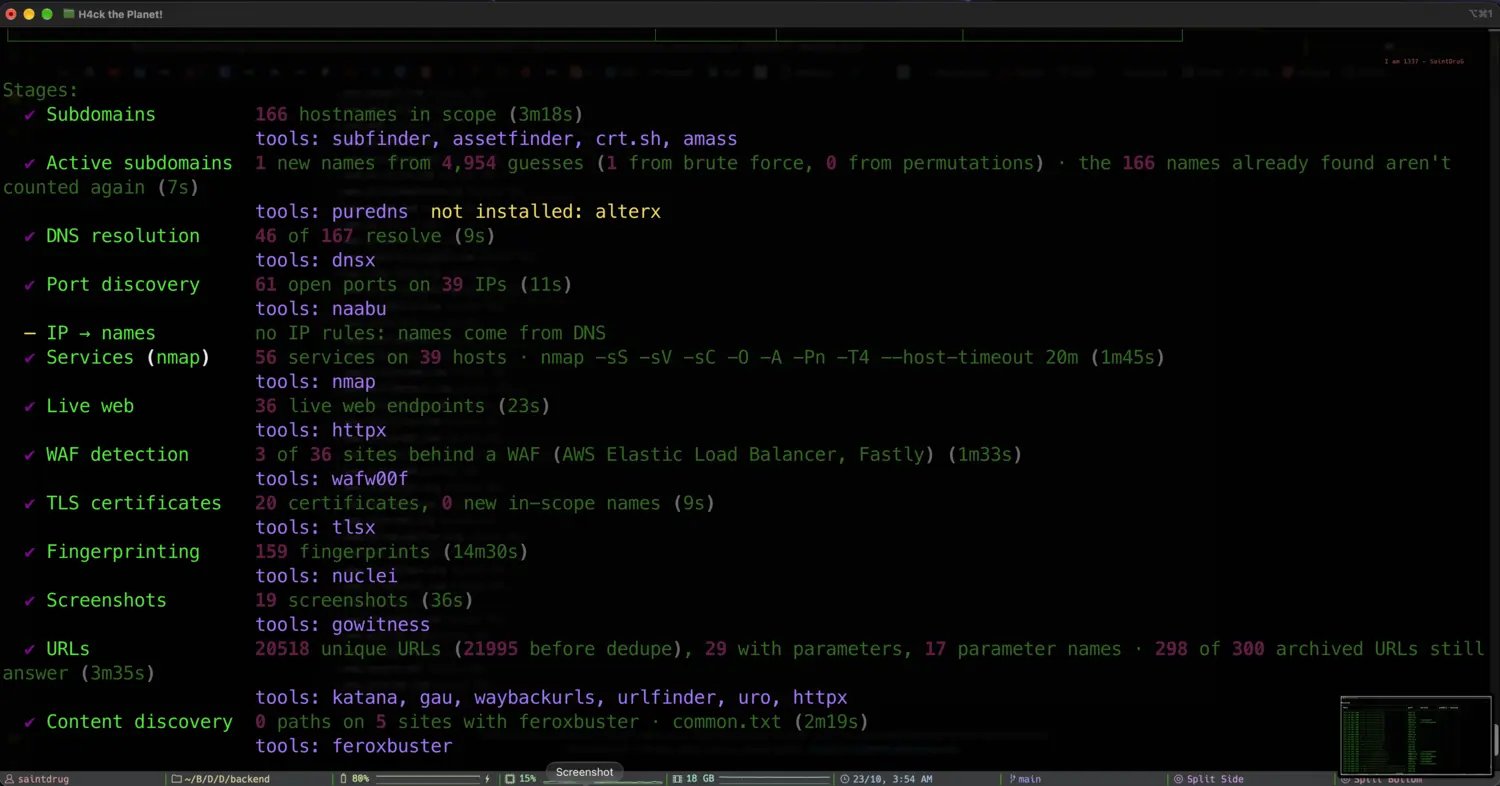
Each stage with its counts, timing, tools and any skips