
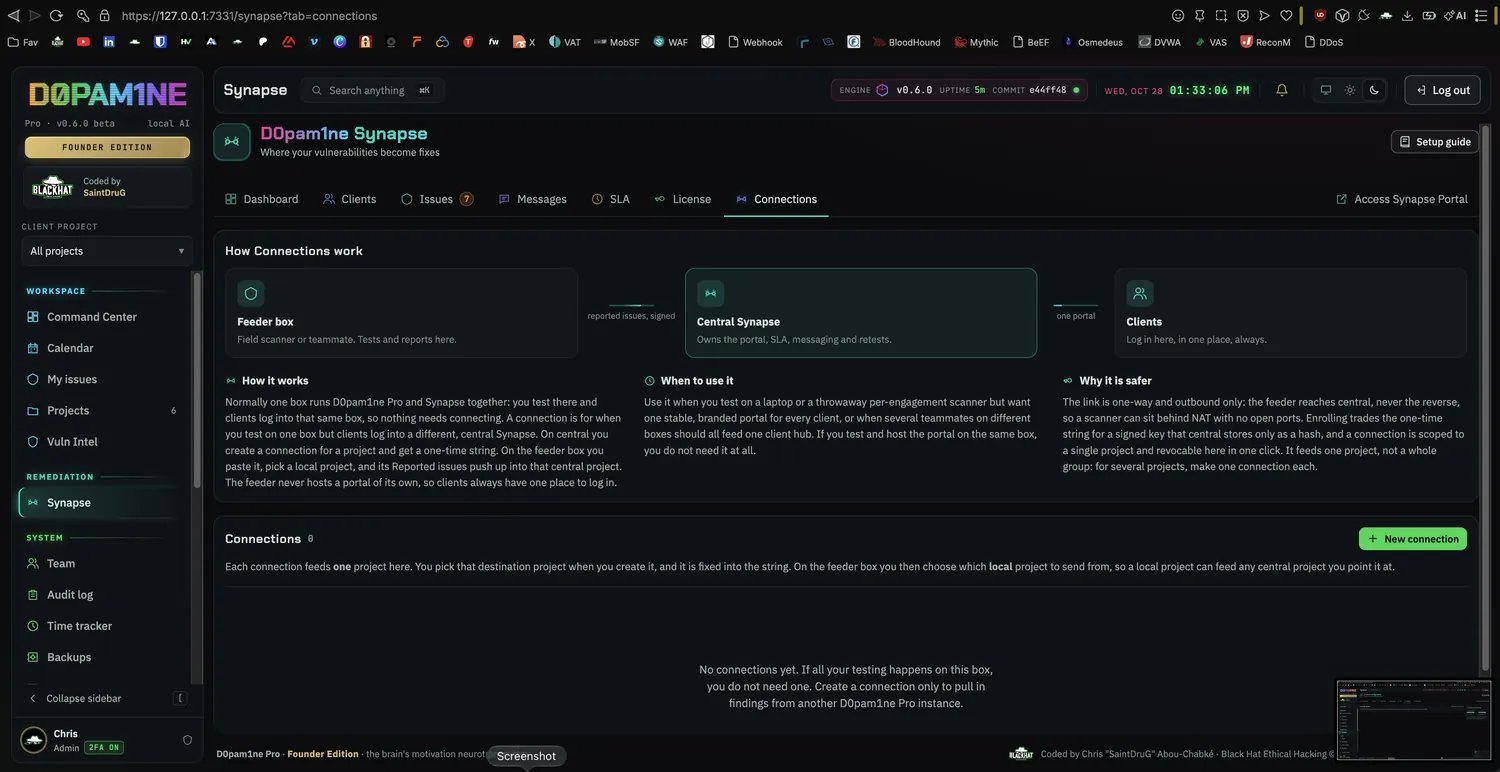
The Connections tab: how a feeder box, the central Synapse and clients fit together, and where you create a connection.
When you need one
- All-in-one (no connection): one box runs the testing side and the portal together. Findings you report are already in Synapse. Most setups are this.
- Hub and feeders (a connection): you test on one or more boxes (for example a laptop in the field) but clients log in to a central Synapse on a server. Each feeder pushes its reported findings up to the central portal.
How a connection is made
A connection is a one-paste handshake, admin-only on both sides.1
Create the link on central
On the central Synapse, open Synapse, Connections and create a link. Central picks the destination project (where incoming findings land) and issues a one-time connect string (it starts
d0psyn1…, is single-use and expires in 24 hours).2
Paste it on the feeder
On the feeder box, open Settings, Synapse feed and paste the connect string. The feeder decodes and previews the destination, then you pick the source local project to push from. This card works even on a plain Pro box without the Synapse module.
3
Findings flow
Enrolling trades the one-time token for a key that central stores hashed. From then on, reporting a finding on the feeder auto-pushes that one issue up; Sync now pushes the whole source project. Central dedupes by finding key, so re-pushes merge rather than double.
What crosses the channel
- The finding text and its evidence: request / response and tool output.
- Every attachment type, images, PDFs, archives, HAR, logs and text, deduped by content hash, with inline
attachment:idscreenshot references remapped to the central ids. The per-file cap on a feeder matches central’s upload limit (50 MB by default).
Licensing and revoking
- The Synapse license lives on central. A feeder stays plain Pro and needs no license of its own to push.
- A connection is revocable from central at any time from the Connections tab, which stops that feeder from pushing further.