
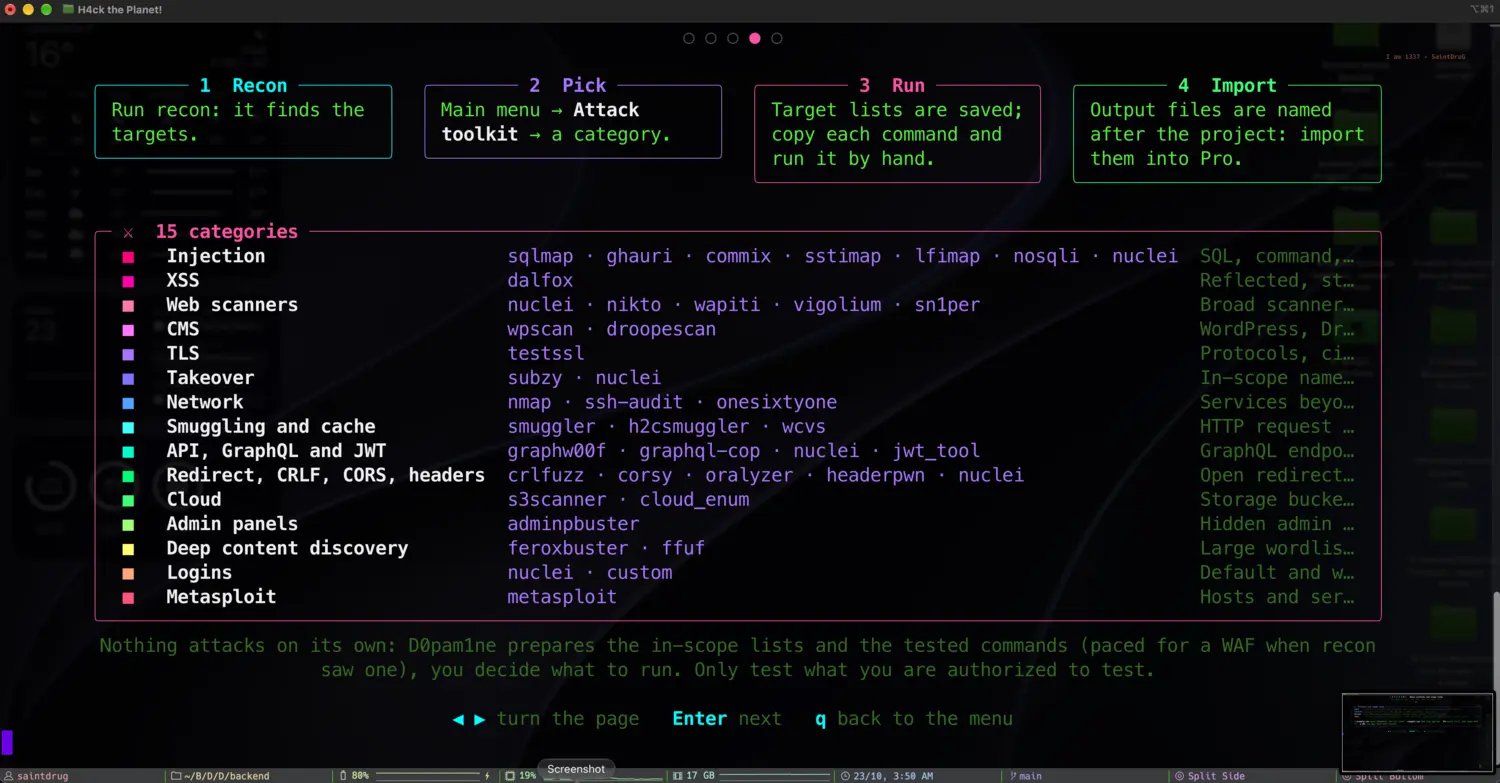
Recon finds the targets, you pick a category, you run its commands, you import the output into Pro
How it works
1
Recon finds the targets
Run recon first. Each attack category reads the recon signal that justifies it and builds its own in-scope target list.
2
Pick a category
Open Attack toolkit from the menu and choose a category. The ones with targets are where recon actually found something.
3
Run its commands by hand
Each category gives you tested commands with the target lists already filled in. You copy and run them yourself, so nothing happens without your say-so.
4
Import the output into Pro
Output files are named after the project. Import them into D0pam1ne Pro for triage, evidence and reporting.
Pick a category
The toolkit lists every category with a target count, so you can see at a glance where recon found something worth testing. Empty categories are greyed out; the ones with targets are live.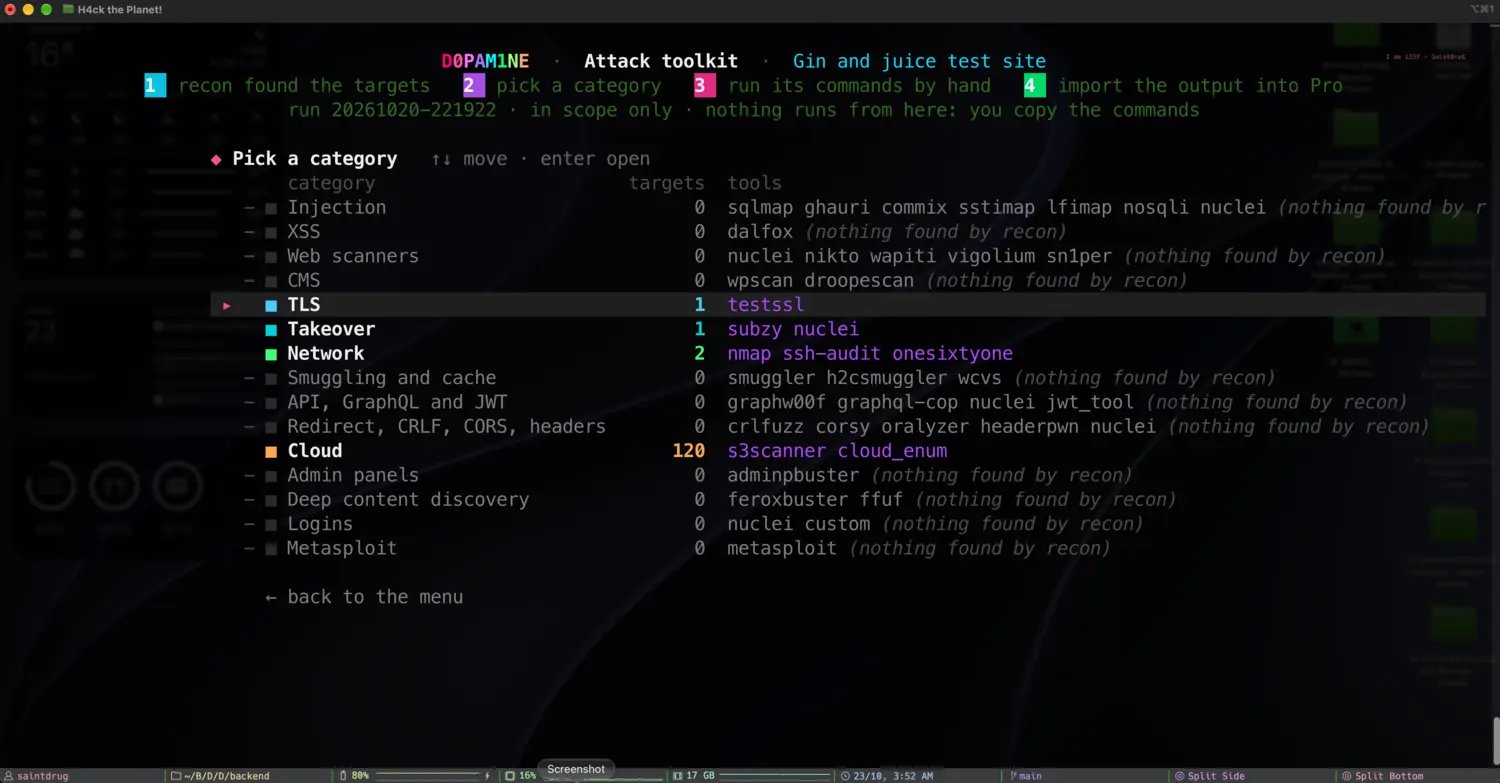
Fifteen categories, each with its target count and the tools it would run
Run its commands
Open a category and the engine shows exactly what it prepared: what the category is for, the target lists it built (with counts), the folder they live in, and the numbered commands to run. Every command already points at the right in-scope list and writes a named output file.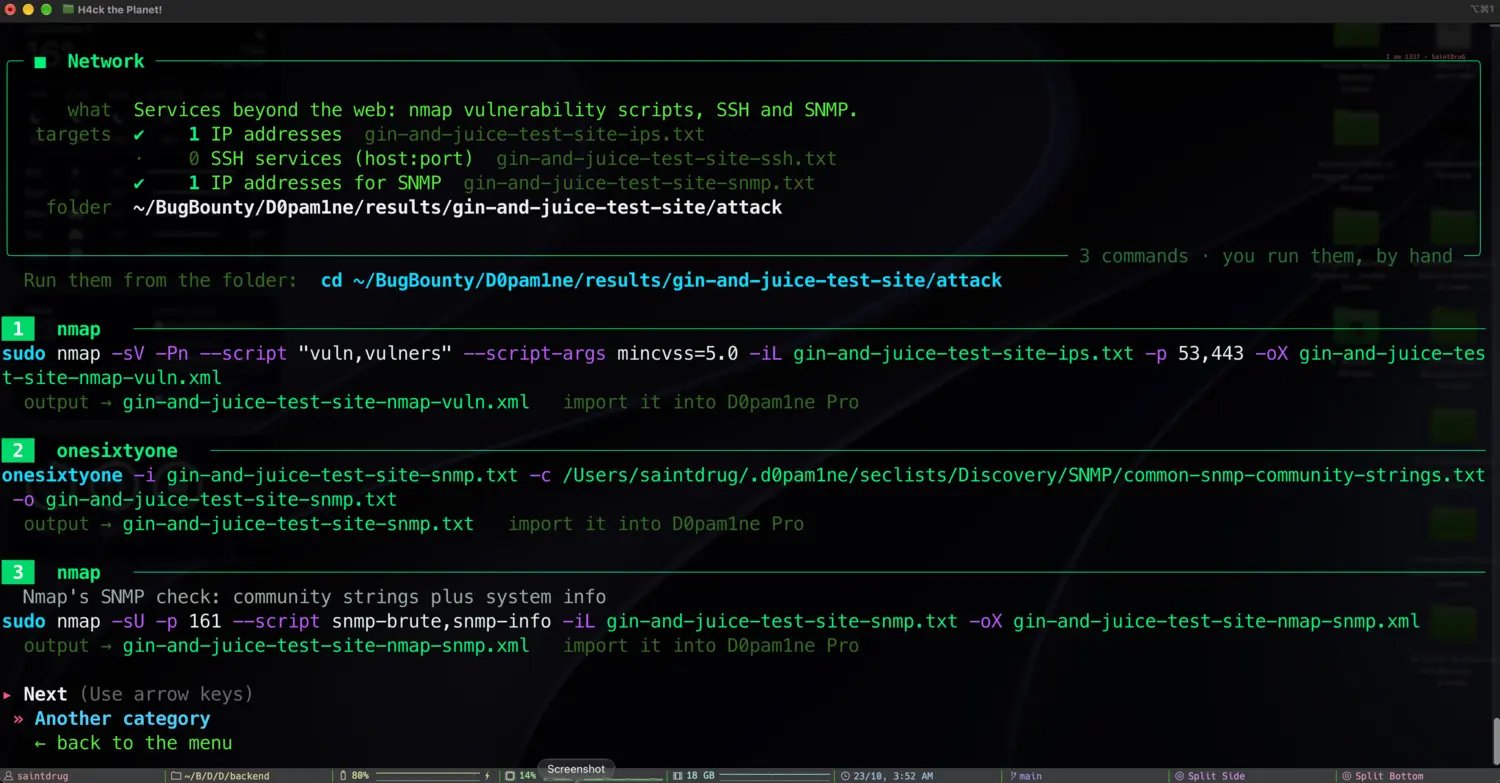
A category in full: what it tests, the target lists, and the exact commands to run
The categories
The toolkit covers 15 attack categories, from injection and XSS to CMS, TLS, takeover, smuggling, API and GraphQL, cloud and more. For the complete list of categories and the tools in each, with what every tool does and where its source lives, see the tool reference.From the CLI
The toolkit is the open-source engine’s hand-off point. D0pam1ne Pro takes the same
in-scope target lists and runs the categories for you under a single intrusive opt-in,
then triages the findings with a local AI and files them with evidence. See
Free engine and Pro.