
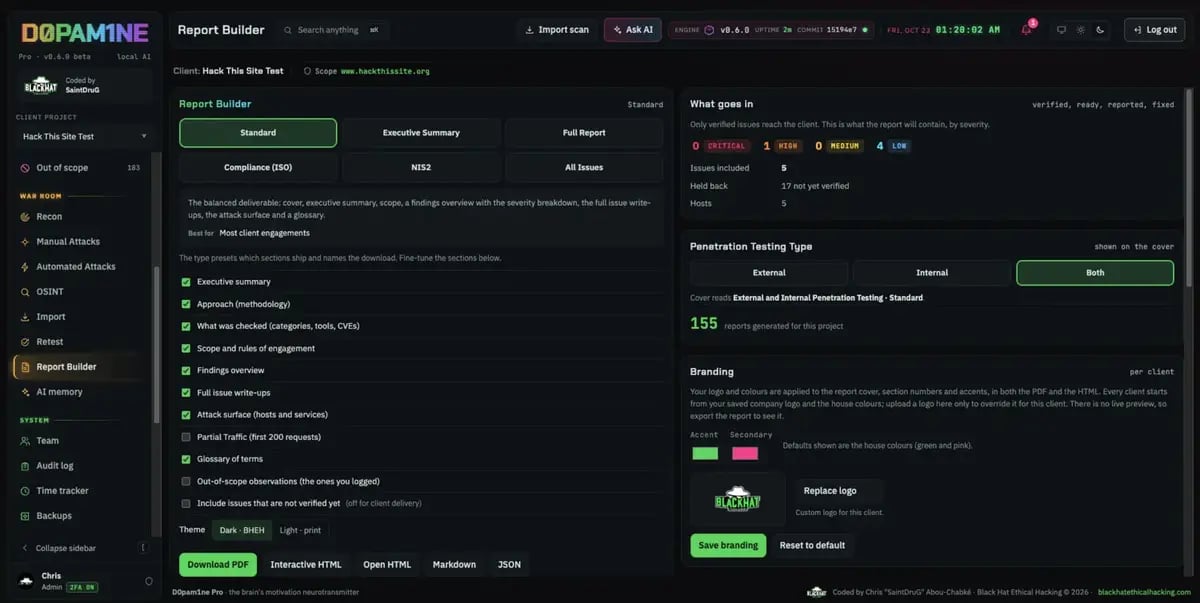
The Report Builder: types, sections and branding
Report types
A type presets which sections ship and what the download is named:Sections
Every type ships a default set of sections, and you can tick them on or off: executive summary, approach and methodology, what was checked (coverage), scope, findings overview, full issue write-ups, attack surface, technologies, OSINT, partial traffic, glossary, and out-of-scope observations.Branding
Your saved company logo and house colours (accent and secondary) are applied to the cover, section numbers and accents, in both the PDF and the HTML. Override them per client when you need to.Export formats
Word export is a Founder edition feature and is being brought up to the exact per-theme, per-template layout of the PDF. For client delivery use the PDF or Interactive HTML, which are the finished house design.