
Every recon run keeps everything it finds. Nothing is thrown away, nothing is hidden in a database you cannot read: it is all plain files in one folder per run, browsable from the terminal and summarised in a single HTML page named after the client.

The results browser

Open Results from the menu and the engine shows the latest run at a glance: the headline counts, and a change summary against the previous run so you can see what is new since last time.
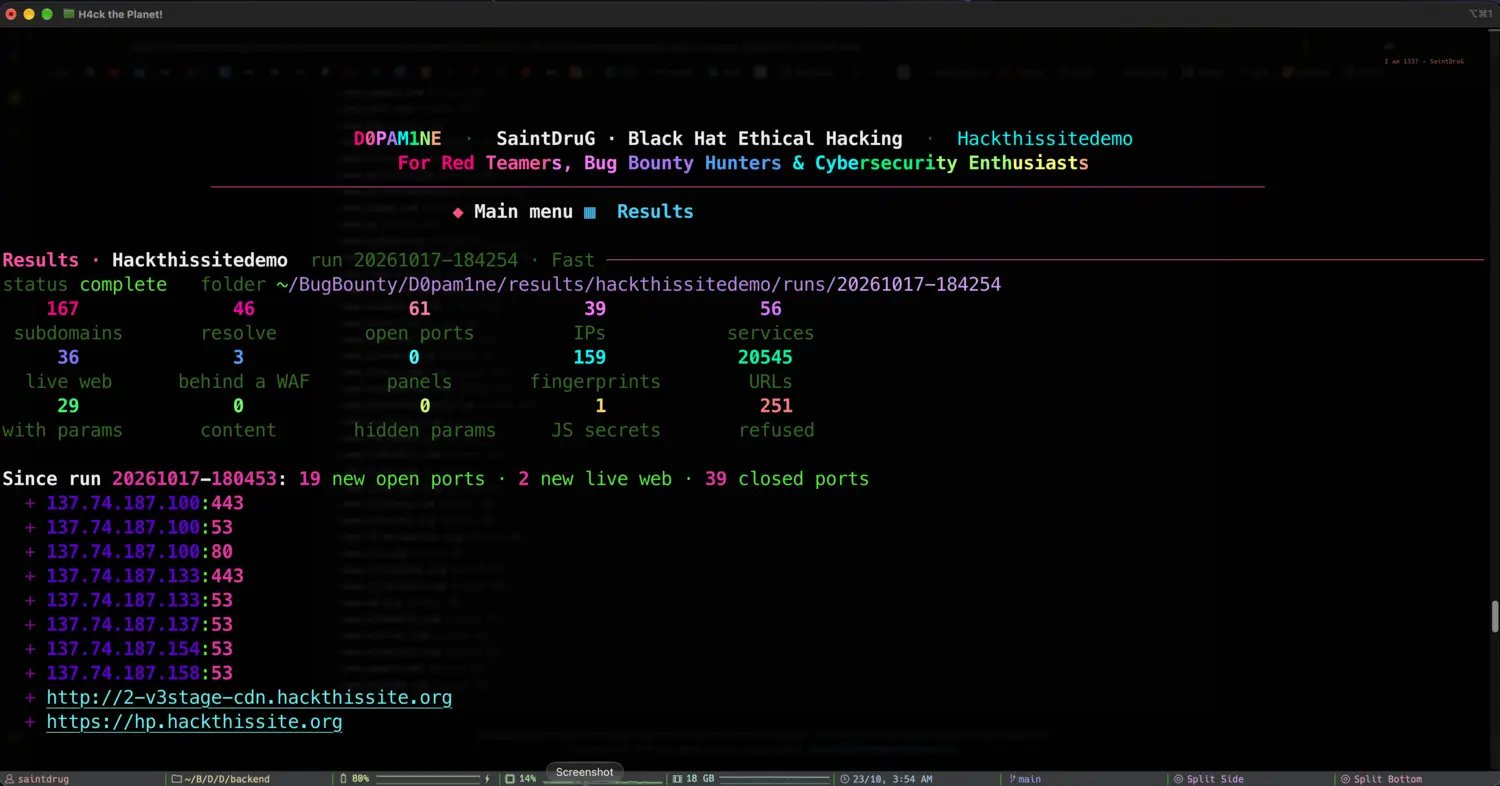
The D0pam1ne results summary with change tracking

The run's totals, and a diff against the last run: new ports, new live web, closed ports
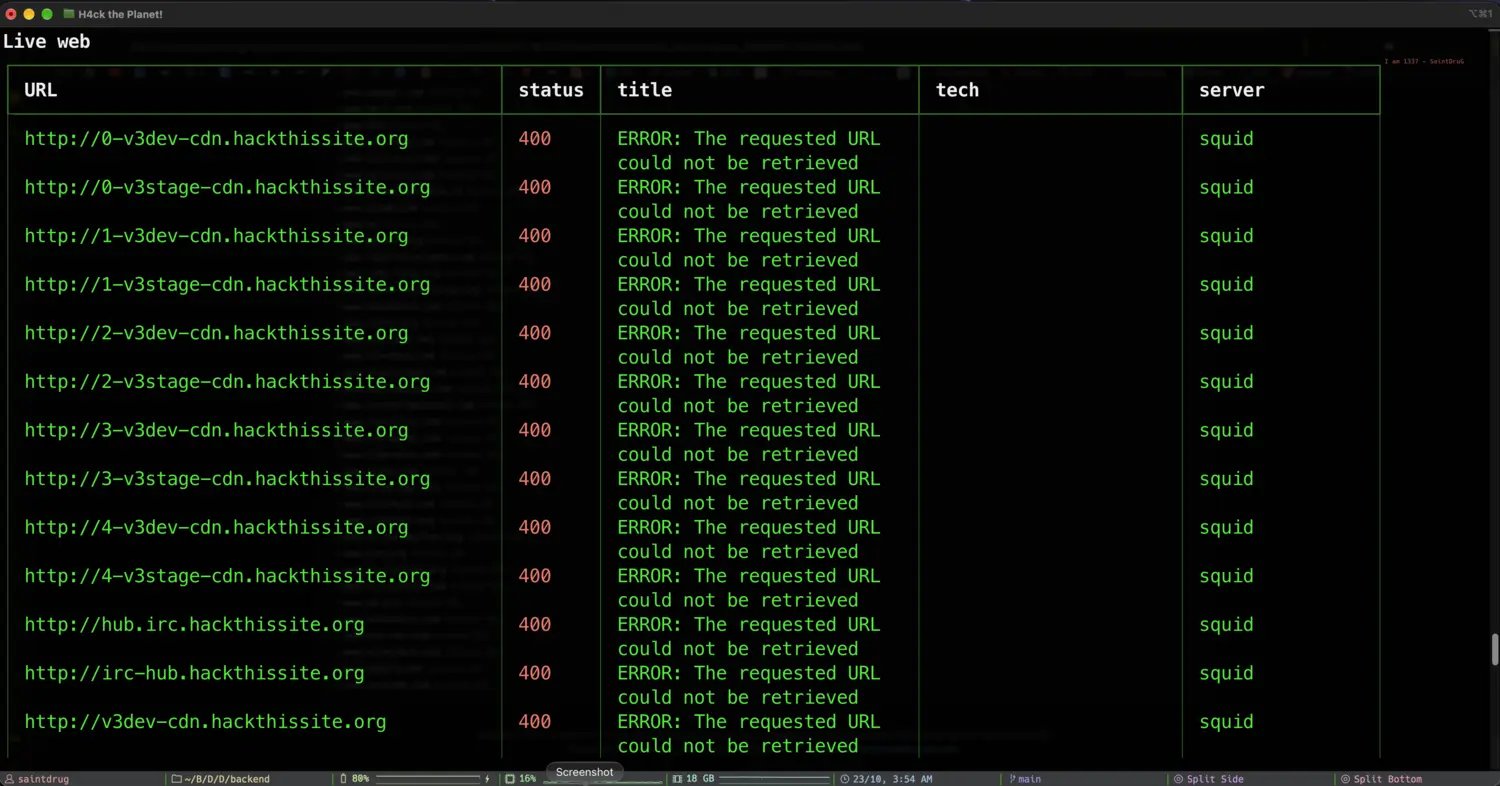
From there you can drill into any part of the run. The live web list shows every responding endpoint with its status, title, technology and server:
The live web results table

Live web: every responding endpoint with status, title, tech and server
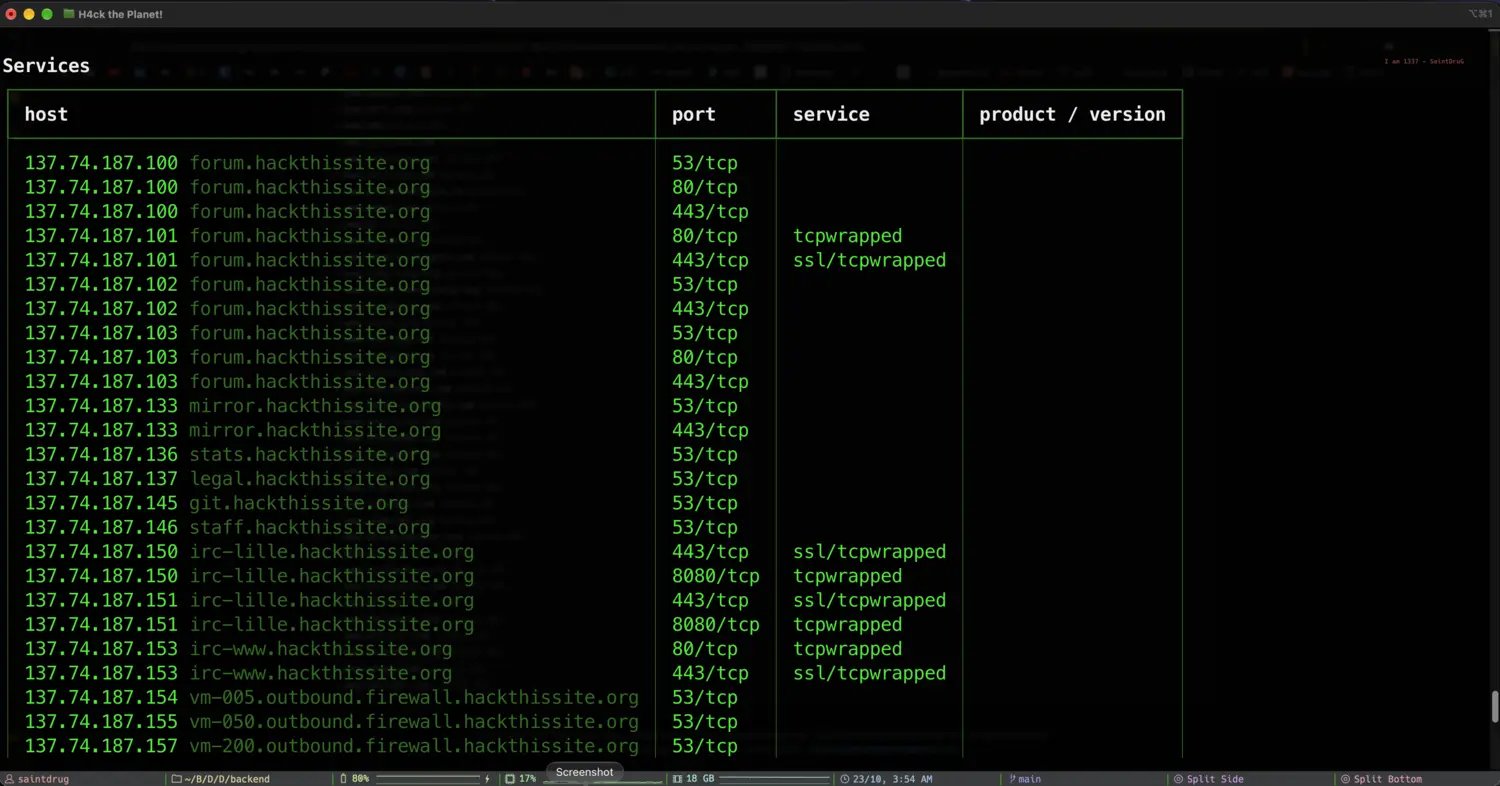
And the services view lists every open port with the service and version behind it:
The services results table

Services: every host and port with the service and product version

The one-page report

d0pam1ne report (or Report from the menu) renders the whole run into a single self-contained HTML page, named after the client, that you can open in a browser or hand straight to a teammate. It opens with the numbers that matter.
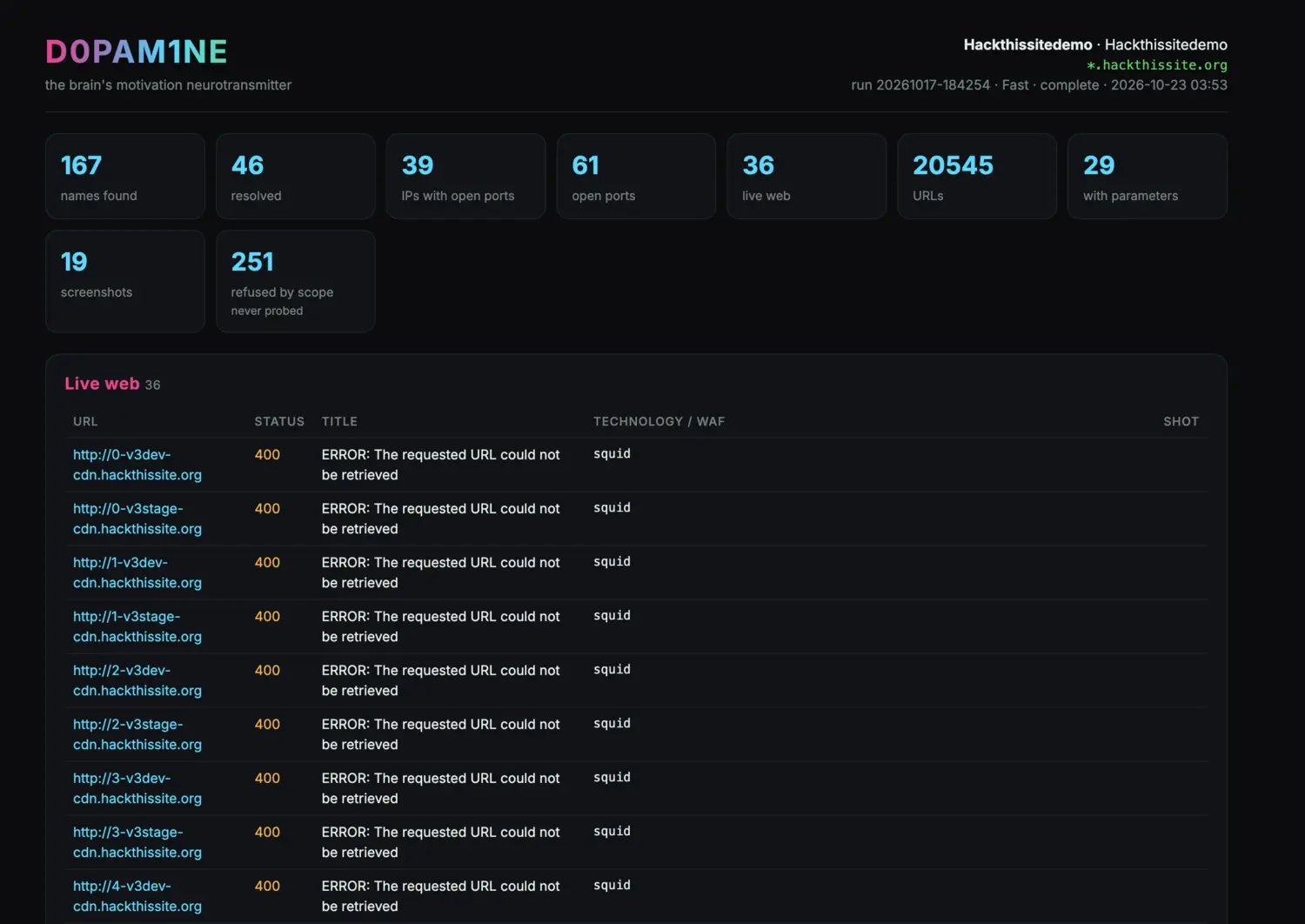
The one-page HTML recon report overview

The one-page HTML report: the run's headline stats and the live web table
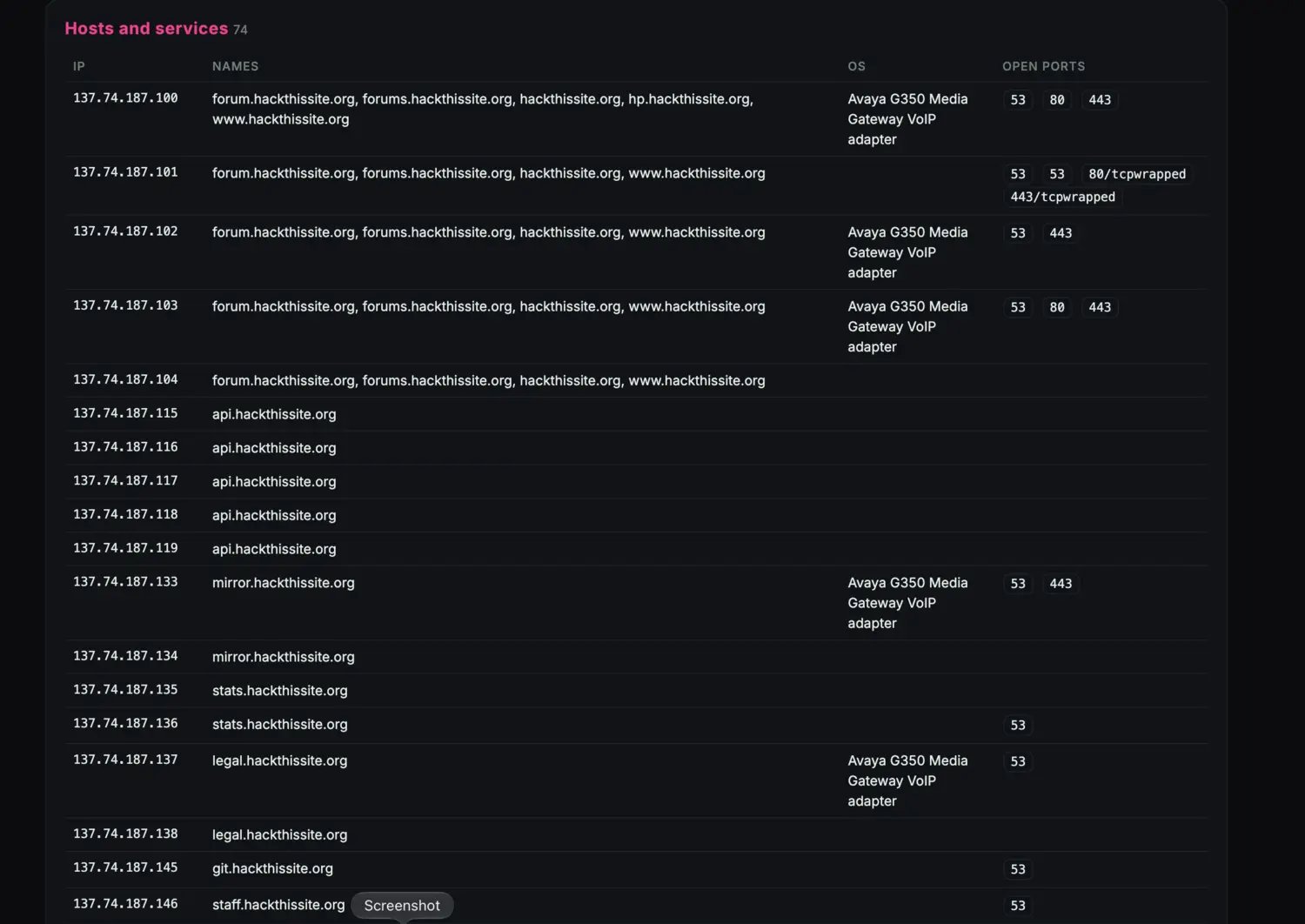
Below the summary it lays out the full surface: every host, its names, OS and open ports.
The hosts and services section of the report

Hosts and services: every in-scope IP with its names, OS and ports
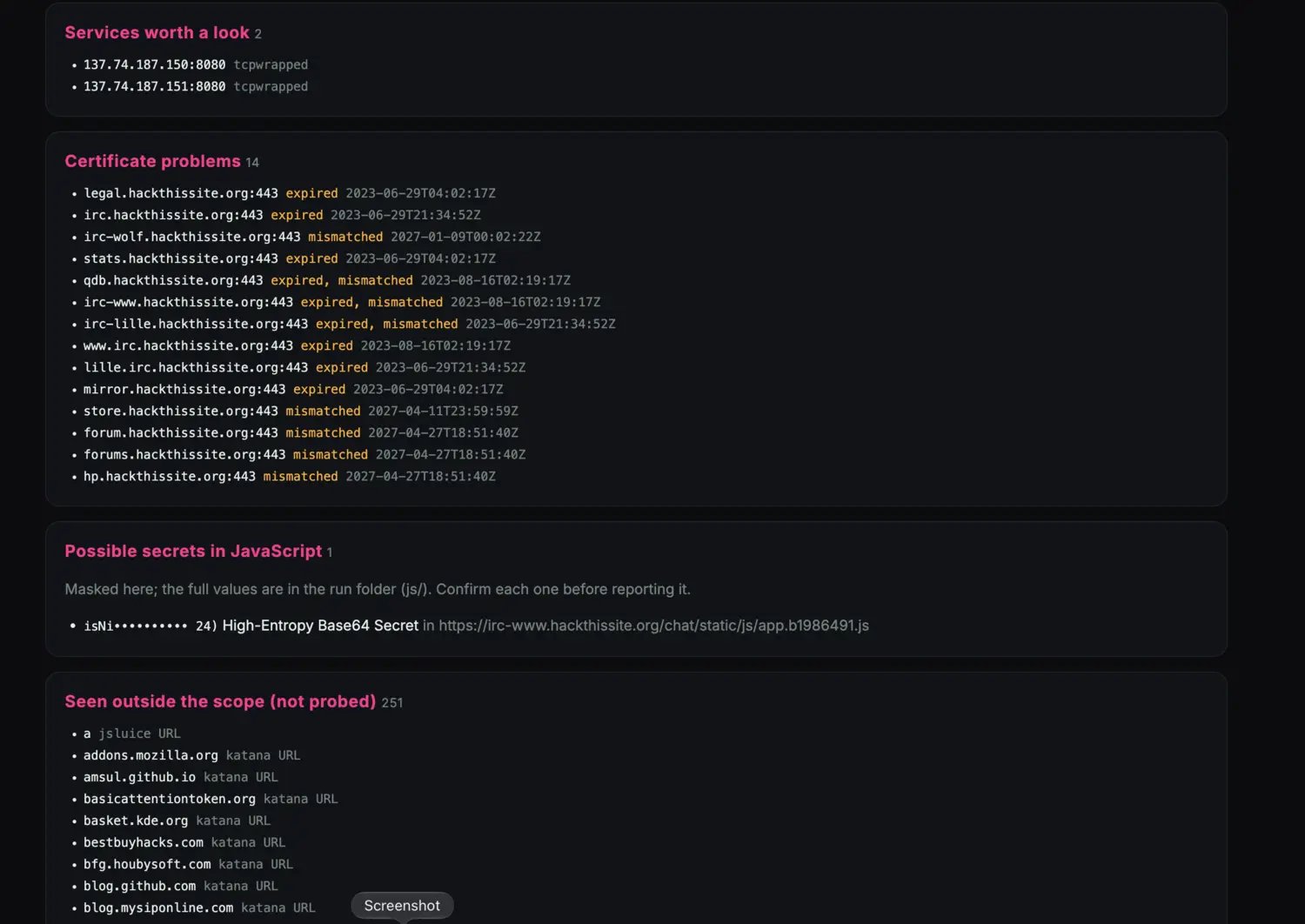
Then the things worth a second look: services on unusual ports, certificate problems, possible secrets found in JavaScript (masked, with the full values kept in the run folder), and everything that was seen but left alone because it was out of scope.
The findings section of the report

Certificate problems, masked JavaScript secrets, and everything refused by scope

Secrets in the report are masked. The full values live in the run folder under js/, so you can confirm each one before you ever put it in a client report. The engine never validates a secret against its provider.

What lands on disk

Every run writes a folder you own, in plain formats. Nothing is locked away.
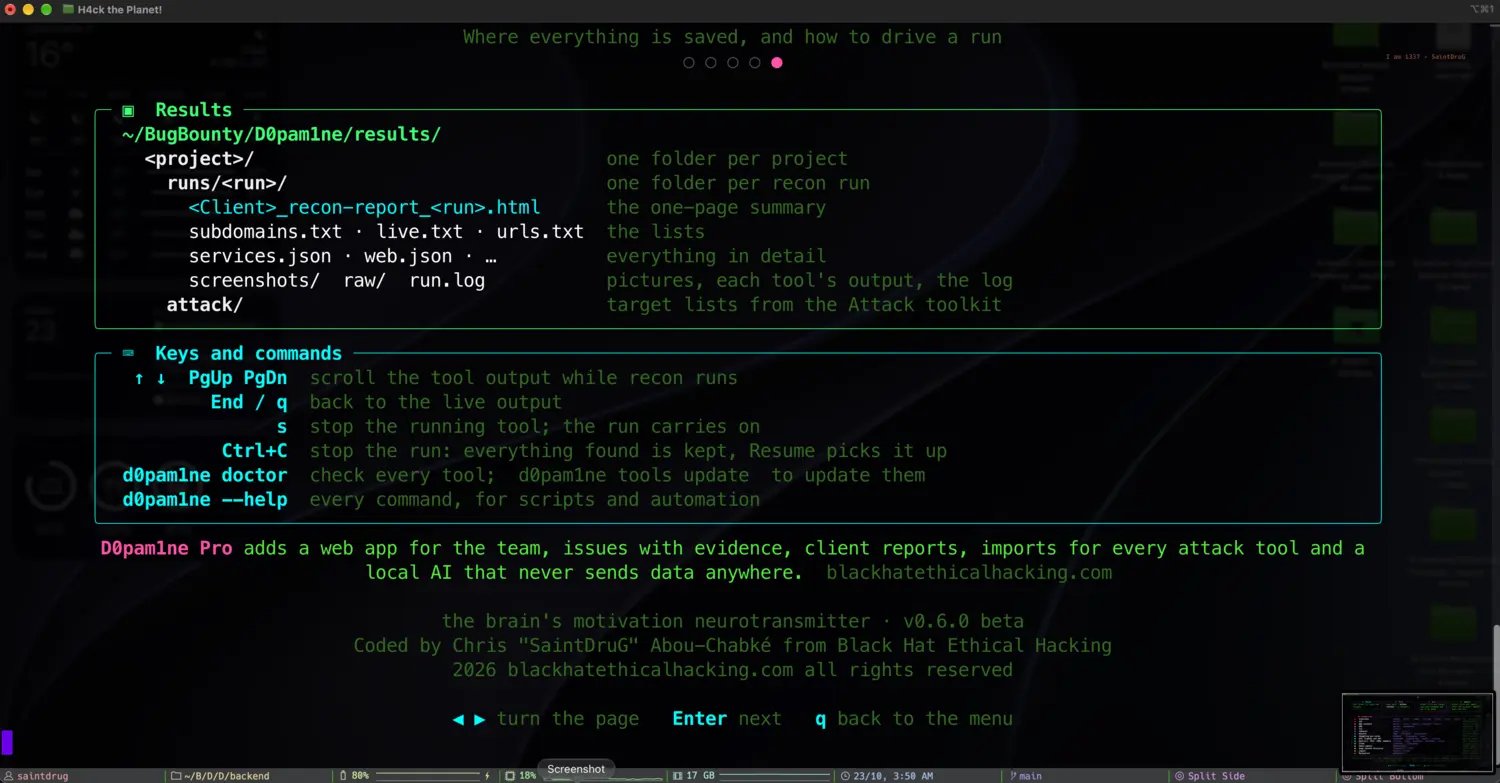
The results folder layout and keyboard commands

One folder per project, one per run: lists, JSON, screenshots, the log and the report

Because it is all just files, you can grep it, diff it, pipe it into your own scripts, or hand the whole folder to D0pam1ne Pro with d0pam1ne export.

From the CLI

The change summary on the results screen compares the current run against the previous one for the same project, so re-running recon on a schedule turns D0pam1ne into a lightweight attack-surface monitor: new ports and new hosts jump out the moment they appear.